This is default featured post 1 title

Go to Blogger edit html and find these sentences.Now replace these sentences with your own descriptions.

This is default featured post 2 title

Go to Blogger edit html and find these sentences.Now replace these sentences with your own descriptions.

This is default featured post 3 title

Go to Blogger edit html and find these sentences.Now replace these sentences with your own descriptions.

This is default featured post 4 title

Go to Blogger edit html and find these sentences.Now replace these sentences with your own descriptions.

This is default featured post 5 title

Go to Blogger edit html and find these sentences.Now replace these sentences with your own descriptions.

Showing posts with label INTERNET SECURITY. Show all posts

Thursday, 29 March 2012

Best Temporery Email Services @ Internet.


People use temporary email services when they are unwilling to reveal their actual email address mainly because they fear spam ( which is a good thing ). Dear friends temporary mails are used as below reasons:


  • It is used for those site which enter the person with email subscription
  • It used for security purpose
  • Its used for fake mails
  • Its used for temporary and not annoy you with their mails
  • Track email through a RSS feed

While there are several disposable email services like: 
  etc, a new web service called Mmmmail lets you enjoy the benefits of disposable email with an additional ability to track email through a RSS feed. Just head over to their website, put a desired nickname for your disposable email address and click on check mmmmail ! You'll presented with a link to rss feed which keeps track of all emails sent to that temporary address. Check it out here and share your views.

Sunday, 11 March 2012

HACK FACEBOOK BY TABNABBING-NEW KIND OF PHISHING ATTACK

Hi friends I already posted couple of articles on Phishing.Phishing is the easiest method to hack any kind of account because it doesnt involve any experience of Programming and Hacking.All you need is a bunch of codes(To Create Phishing Pages) and a little common sense on how to trick your victim.

Today I am going to explain one of the new type of Phishing attack called Tabnabbing.
Before reading this article I would strongly recommend you to go through the below articles

How To Hack Gmail By Phishing
How To Hack Facebook By Phishing


What is Tabnabbing?
Tabnabbing also known as ‘Tabnagging‘ and ‘Tabnapping‘ which is a new type of Phishing attack.It works similarly like Phishing but this attack is much more convincing than Phishing.When victim browses on multiple tabs, then one of the tab automatically changes into fake login page when the victim is away from that page.

How It Works?
As stated earlier this attack works when user opens multiple tabs

Initially victim navigates a normal looking page.
When victim switches to another tab, the attacker redirect their site to a phishing page.
When victim came back to attacker page, they’ll see the phishing page.(Victim assumed he open the site previously)
Victim entered their login information and this login information is sent to your server and the phishing page is login successful, so the victim don’t have any clue that their information was hacked.
How To Hack Facebook By Tabnabbing?
Requirements:
1.Basic knowledge on How Phishing works
Read below articles to know how Phishing works:

How To Hack Gmail By Phishing
How To Hack Facebook By Phishing
2.A free web hosting account.
For this I would recommend yourfreehosting.net, 110mb.com, 000webhost.com ,drivehq.com,byehost.com
3.You should have following files which are necessary for Tabnabbing

Facebook.html -Fake Facebook login page (phisher)
login.php - Script which captures the login details of the victim
google.html - Standard google page used to trick the user
tabnabb.js - Java script which is required for tabnabbing
<<<DOWNLOAD ALL THE FILES FROM HERE>>>
Password is alltechbuzz.in


How To Do Tabnabbing~Procedure:


1.After Downloading upload facebook.html ,login.php & google.html to your webhosting excluding tabnabb.js


2.After uploading these three files then open facebook.html and copy the link of facebook.html.


3.Now open tabnabb.js with notepad and search for Enter your url here.
4.Replace it with the url of facebook.html.


5.Now upload tabnabb.js to your web hosting.
6.I hope that now you have successfully uploaded all the files to your webhosting.


7.Now you have to send google.html link to your victim.
8.To know whether your Tabnabbing is working or not just open google.html and open few tabs and wait for few seconds now your google.html will automatically change into facebook.html fake login page.
9.Now if the victim enters his details into the page then the password is yours.


How To Protect Yourself From Such Attacks?

Always keep your Browser and softwares up to date.
Use a Good Antivirus and Anti Malware.
Always check the url in the address bar while you are logging in into some social networking site.
Never enter your password on suspicious web pages.
Update:If you dont want to Tabnabb and if you want to do only Phishing then just send facebook.html page to the victim.Use 000webhost.com for hosting the files.

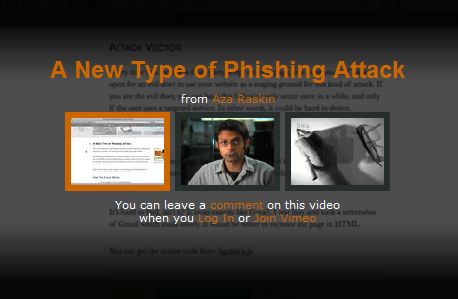
A new type of Phishing it can fool even the most security-conscious Web surfers.

Most Internet users know to watch for the telltale signs of a traditional phishing attack: An e-mail that asks you to click on a link and enter your e-mail or banking credentials at the resulting Web site. But a new phishing concept that exploits user inattention and trust in browser tabs is likely to fool even the most security-conscious Web surfers.
As Mozilla Firefox creative lead Aza Raskin describes it, the attack is as elegant as it is simple: A user has multiple tabs open, and surfs to a site that uses special javacript code to silently alter the contents of a tabbed page along with the information displayed on the tab itself, so that when the user switches back to that tab it appears to be the login page for a site the user normally visits.
Consider the following scenario: Bob has six or seven tabs open, and one of the sites he has open (but not the tab currently being viewed) contains a script that waits for a few minutes or hours, and then quietly changes both the content of the page and the icon and descriptor in the tab itself so that it appears to be the login page for Gmail.
In this attack, the phisher need not even change the Web address displayed in the browser’s navigation toolbar. Rather, this particular phishing attack takes advantage of user trust and inattention to detail, or what Raskin calls “the perceived immutability of tabs.” Then, as the user scans their many open tabs, the favicon and title act as a strong visual cue, and the user will most likely simply think they left a Gmail tab open.
“When they click back to the fake Gmail tab, they’ll see the standard Gmail login page, assume they’ve been logged out, and provide their credentials to log in,” Raskin explained. “After the user has enter they have entered their login information and sent it back your server, you redirect them to Gmail. Because they were never logged out in the first place, it will appear as if the login was successful.”
Raskin includes a proof-of-concept at his site, which is sort of creepy when you let it run. In fact, at least once while composing this blog post in Firefox I went to click on the tab that had my Gmail inbox open, only to discover I’d accidentally clicked on Raskin’s page, which had morphed into the fake Gmail site in the interim.
It’s important to keep in mind that this attack could be used against any site, not just Gmail. Also, Raskin includes a few suggestions about how this attack could be made far sneakier — such as taking advantage of CSS history attacks.
Of course, if you are browsing with the excellent “Noscript” add-on and this is a site you have not allowed to run javascript, the proof-of-concept won’t work until you allow javascript on the page. It did not work completely against the Safari browser on my Mac (no favicon), and the test page failed completely against Google Chrome. [Update: As several readers have correctly pointed out, this attack does in fact work against Chrome, although it doesn't seem to change the favicon in Chrome tabs].
I’m left wondering what this new form of phishing will be called if it is ever adopted by the bad guys. Tabnabbing? Tabgrabbing? See if you can coin a better phrase in the comments below.
Update, May 25, 7:55 p.m. ET: Researcher Aviv Raff has posted an interesting proof-of-concept of his own that shows how this attack can work against Firefox even when users have the Noscript add-on installed and in full paranoid mode. Raff crafted his page, which is a mock up of this blog post, to morph into an image of the Gmail login page, and it will reload every 20 seconds but will only change to the sample phish page if you move to another tab with your mouse, or after 10 reloads (in case you moved with the keyboard). So it will change only after 3 minutes or so, unless you move to another tab with your mouse.
“I was trying to find a way to work around the javascript need for the [proof-of-concept],” Raff said in an instant message. “First I was able to do this without knowing if the user moved to a new tab. Now I can almost be sure of that.”
Update, May 27, 11:41 p.m. ET: For Firefox users with the Noscript plugin, there is an update to the program that can block these types of tabnabbing attacks.

How To check Suspecious website and link for virus,malewares and phishingpage.


Viruses and malwares can break into your system from a number of sources and cause serious impact on your computer system. Hence, it is extremely essential to protect your computer such threats. Most of us are aware of the fact that e-mail attachments, torrents, P2P clients, etc are some of the most common sources through which viruses and malwares infiltrate into our system. But nowadays, even websites have become as infectious as any other source.

Fortunately, there are lots of online scanners that can quickly scan websites for any malicious content. If you are a webmaster wanting to scan your website or you just want to check a website for malicious content, below are few of the best tools that can help you to do so.
1. URLVoid.com – URLVoid.com is a really handy tool to scan any website for malicious content. Just enter the URL of the website you want to scan and then hit the “Scan Now” button. Within just a few seconds, you will get a report stating whether the site is clean or not.
URLVoid Website Scan
2. AVG Online Web Page Scanner – AVG Online Web Page Scanner enables you to scan suspicious links for viruses and malware. It scans the web pages in real-time and checks if the web pages contain any hidden drive-by downloads.
AVG Online Web Pages Scan
3. Google Safe Browsing – This handy little tool from Google enables you to test any website for malicious content. It is based on the Google Safe Browsing API. To test any website all you got to do is enter the following in your address bar – http://www.google.com/safebrowsing/diagnostic?site=targetwebsite.com.
Google Safe Browsing
4. Online Link Scan – Online Link Scan is a fast, easy-to-use tool that enables you to scan any URL for viruses, malware as well as phishing. It uses the reports generated by PhisTank, AVG, Google Safe Browsing as well as SiteTruth to provide you an overall report of the target URL.
Online Link Scan
5. Norton Safe Web - Norton Safe Web is a new tool from Norton that analyzes web sites for online threats like viruses, malware, spyware and phishing. It scans the target URL and provides you detailed reports about the various threats on the site. It also creates a Norton rating based on the reports.
Norton Safe Web
6. Dr.Web Online Check – Dr.Web Online check quickly scans websites for viruses and malwares and reports if the website is clean or not. All you gotta do is enter the URL and hit the “Scan” button. It quickly scans the website and creates a report stating whether the website is clean or not.
Dr.Web Online Check

Security using Mozilla Firefox.


Today I am going to tell you how to increase your security using Mozilla Firefox, Mozilla Firefox is a very powerful browser , it can secure your Pc against any hacker ,it can maintain your privacy using Add-ons , Q1.what are Add-ons?? Add-ons are extension in your browser, which can add better functionality to your browser, Today I am going to give some tips and some information about Add-ons which are useful for you,so lets start


Try These steps out and Enhance your Security

1ST Tip: Use SSL
SSL is (Secure Socket Layer),it is an protocol which is used for secured internet communication like web browsing, email ,instant messaging, using SSL protocol gives you better security , so i recommends you to use https://encrytpted.google.com , when you search over ssl Protocol,They are encrypted So that no intermediate party can read what you are doing,except your service provider

2ND Tip: Use Add-On Of Mozilla Firefox
Mozilla Firefox is powerful browser which can secure you over Internet communication.
List of Mozilla Firefox Add-on that you can use

1. No Script

No script Add-on can be used to allow active content to run from trusted sites ,No Script provide you good security while browsing over Internet , It Secures you from unknown active contents

2. BETTER PRIVACY
its the best tool to avoid LSO(local shared object),trackers from being tracking you next question which you can put up what are LSO?
LSO are Local Shared Objects which are collections of cookies-like data stored as a file on user computer which can be used by websites to locate your computer at a later time to keep tracks Of users so use Better Privacy to delete lso created by websites

3. AD BLOCK PLUS
This add-on blocks ads from different website which are sponsored by big websites

4. SSL BLACKLIST TOOL
Ssl Blacklist provides information about Ssl certificate of particular website , It tells you the blacklisted sites

5. WOT
wot Is (Web Of Trust), it's an safeguard to browsing , it provides details about the rating of websites by users,it is run by wot community it's an powerful tool to check rating Of websites

6. PHIS TANK SITE CHECKER
This add-on secure your pc against phishing ,what is phishing? phishing is an act of collecting useful information about username, password , credit card information its an illegal activity ,so this add-on provides you security against phishing

7. TRACKER WATCHER
Tracker Watcher watches who collects information about your pc , it blocks all intermediate parties who are collecting Information about you,so use it and protect yourself against tracking

8. BUG ME NOT
it prevents bugs to enter your browser , so use it and avoid bugs

9. KEY LOGGER BEATER
it is used to keep username and password from being stolen by a key logger,what is KEY LOGGING? it is an action of tracking keys struck on a Keyboard , So If you don't want to loose your username and password from being stolen by a key logger , So use this add-on and enhance your security

10. GHOSTERY
it is one of the powerful functionality to protect your privacy from trackers and give You a detailed info about trackers and blocks them from tracking you

HOPE ALL THIS ADD-ON WILL SECURE YOU AGAINST ANY EVIL ATTACK

one more tip start using private browsing:

To start private browsing option
1...click on tools
2... Select start private browsing
in private browsing your browser does not stores any history and cookies, and use latest version Of browser to be secured

so enhance your security by using simple Add-on

Saturday, 25 February 2012

How Does Secure Sockets Layer (SSL) Works?.


Secure Sockets Layer (SSL) is the most widely used technology for providing a secure communication between the web client and the web server. Most of us are familiar with many sites such as Gmail, Yahoo etc. using https protocol in their login pages. When we see this, we may wonder what’s the difference between http and https. In simple words HTTP protocol is used for standard communication between the Web server and the client. HTTPS is used for a SECURE communication.

What exactly is Secure Communication ?

Suppose there exists two communication parties A (client) and B (server).
Working of HTTP
When A sends a message to B, the message is sent as a plain text in an unencrypted manner. This is acceptable in normal situations where the messages exchanged are not confidential. But imagine a situation where A sends a PASSWORD to B. In this case, the password is also sent as a plain text. This has a serious security problem because, if an intruder (hacker) can gain unauthorised access to the ongoing communication between Aand B , he can see the PASSWORDS since they remain unencrypted. This scenario is illustrated using the following figure
Now lets see the working of HTTPS
When A sends a PASSWORD (say “mypass“) to B, the message is sent in an encrypted format. The encrypted message is decrypted on B‘s side. So even if the Hacker gains an unauthorised access to the ongoing communication between A and B he gets only the encrypted password (“xz54p6kd“) and not the original password. This is shown below

How is HTTPS implemented ?

HTTPS is implemented using Secure Sockets Layer (SSL). A website can implement HTTPS by purchasing an SSL Certificate. Secure Sockets Layer (SSL) technology protects a Web site and makes it easy for the Web site visitors to trust it. It has the following uses
  1. An SSL Certificate enables encryption of sensitive information during online transactions.
  2. Each SSL Certificate contains unique, authenticated information about the certificate owner.
  3. A Certificate Authority verifies the identity of the certificate owner when it is issued.
How Encryption Works ?
Each SSL Certificate consists of a Public key and a Private key. The public key is used to encrypt the information and the private key is used to decrypt it. When your browser connects to a secure domain, the server sends a Public key to the browser to perform the encryption. The public key is made available to every one but the private key(used for decryption) is kept secret. So during a secure communication, the browser encrypts the message using the public key and sends it to the server. The message is decrypted on the server side using the Private key(Secret key).
How to identify a Secure Connection ?
In Internet Explorer, you will see a lock icon Picture of the Lock icon in the Security Status bar. The Security Status bar is located on the right side of the Address bar. You can click the lock to view the identity of the website.
In high-security browsers, the authenticated organization name is prominently displayed and the address bar turns GREEN when an Extended Validation SSL Certificate is detected. If the information does not match or the certificate has expired, the browser displays an error message or warning and the status bar may turn RED.
So the bottom line is, whenever you perform an online transaction such as Credit card payment, Bank login or Email login always ensure that you have a secure communication. A secure communication is a must in these situations. Otherwise there are chances of Phishing using a Fake login Page.

Friday, 24 February 2012

What is BOT?.


BOT is a malicious program with the purpose of fraudulent use of computer. Once your computer is infected with BOT, the malicious attacker (referred to "attacker" hereinafter) remotely controls your computer from the external.
This attack causes serious harm of making public nuisance such as "sending numerous number of mails" and "attacking a particular website", as well as of stealing information stored in your computer, i.e., "spying activities.
As this external control of your computer is analogous to a robot, it is referred to BOT.

Threat of BOT network When your computer is infected by BOT-type virus, it may be used for crime, making you a perpetrator.

A computer that is infected with BOT is automatically connected to instruction server or something similar installed by the attacker, resulting in formation of gigantic computer network referred to "BOT network", which is configured by several tens to several millions of BOT-infected computers.
Once infected computers receive instructions from the instruction server controlled by the attacker, they are controlled on the attackers discretion and act in sending numerous number of spam mails for the purposes of phishing and the like as well as in attacking a particular website (DDoS attack).
Thus, the users of such infected computers are used as steppingstones for the attacker without their knowledge, and forced to be not only "victims" but also "perpetrators."

Send-out of nuisance mails Conduct of sending nuisance mails via your computerWebsite attack Attack of a particular website, etc. for purposes of its unavailability, etc. (DDoS* attack)BOT infection activities Conduct of augmenting infection to other computersLeak of personal information Conduct of stealing various pieces of personal information entered and stored in your computer, using your credit card No., etc.
* DDoS (Distributed Denial of Service)

Characteristics of BOTs

Difficult to notice the infection BOTs generally do not show specific visible symptoms even when your computer is infected, being unlike the conventional viruses or worms. A user therefore does not realize the infection of his/her computer and continue to use it without noticing any difference of the computer from before the infection.

Automatically add functions BOT can update itself by adding new functions or correcting defects using the function of automatic self-updating. The updating interval is said to be short, e.g., several weeks. This also makes BOT difficult to be found.

Various types of BOTs Since source codes or tools for easy preparation of BOTs are disclosed on the Internet, many subspecies of a BOT have been prepared based on the single BOT. This feature has made BOT cleaning by using Anti-Virus software be difficult.

For crime With conventional viruses, offenders committed the crime for their pleasure. In contrast, the preparers of BOTs aim to gain benefit from BOTs through, for example, lending BOTNET (networks using BOTs) to nuisance mail delivery companies on a pay-by-the-hour basis, selling personal information stolen, and so on.

BOT action after infection

1 Send-out of nuisance mails
BOTs send out nuisance mails using the infected computers as steppingstones. Although only a few mails are dispatched from a single infected computer so that the computer user does not realize the situation, BOTs can entirely dispatch numerous number of nuisance mails, using several thousand infected computers in the BOTNET.

2 Attacks such as DoS attack
BOTs disrupt an operation of a particular website by sending a numerous packet (data) to the Web server and thereby making it inoperable. As analogous to sending nuisance mails, although only small volume of attack data is sent out from a single infected computer, it would be a threat for even large scale of a server that BOTs can send out data from several thousands to several millions infected computers.

3 Network infection
Utilizing vulnerabilities of computers, BOTs take actions to augment infection so that the number of computers available for nuisance mails and DoS attacks are increased. BOTs take over computers that have vulnerabilities and send in programs for infecting other computers.


4 Network scanning
To perform the item 3 "Network infection", BOTs collect information of the computers with vulnerabilities. Using the collected information, another computer is selected as the next target for infection.

5 Self-updating the version or changing the instruction server
A BOT adds new functions and correct own flaws using functions to update itself automatically. In addition, when an "instruction server", which interfaces the instructions from the attacker, becomes unavailable due to virus disinfestation and such, the BOT find another server to switch the instruction server.


6 Spying
A BOT can send out information stored in an infected computer to the external. Therefore, based on received instructions, various pieces of information are stolen, collected or leaked out to the external, where the information includes a keyboard operation history, credit card No. and ID, password, and addresses registered in an address book of the mail software.

Tuesday, 21 February 2012

How Does Intrusion Detection System(IDS) Works?.


What is an IDS?


A system that tries to identify attempts to hack or break into a computer system or to misuse it. IDSs may monitor packets passing over the network, monitor system files, monitor log files, or set up deception systems that attempt to trap hackers.¹ With that being said you get the basic idea. While a firewall should always be your first line of defense, an IDS should be next. I use a simple analogy. Think of your network as a prison. The outside is protected by a large wall (firewall), while the inside is protected by cameras and corrections officers (an IDS).


How does an IDS work?

While there are several types of IDSs, the most common types work the same. They analyze network traffic and log files for certain patterns. What kind of patterns you may ask? While a firewall will continually block a hacker from connecting to a network, most firewalls never alert an administrator. The administrator may notice if he/she checks the access log of the firewall, but that could be weeks or even months after the attack. This is where an IDS comes into play. The attempts to pass through the firewall are logged, and IDS will analyze its log. At some point in the log there will be a large number of request-reject entries. An IDS will flag the events and alert an administrator. The administrator can then see what is happening right after or even while the attacks are still taking place. This gives an administrator the advantage of being able to analyze the techniques being used, source of attacks, and methods used by the hacker.

Specifications for IDS

IDSs are defined by what is called the Common Intrusion Detection Framework (CIDF). It is composed of 4 components:

  • A boxes - Network activity analysis devices that can be specific hardware, software or both.
  • C boxes - Countermeasure mechanisms or response procedure equipment.
  • D boxes - Storage mechanisms (hard Disks), which are essentially the logging equipment.
  • E boxes - These are considered event generators, commonly known as sensors.

²
A boxes
A boxes work like the situation mentioned above. They gather information and look for defined patterns. These patterns can include the consistent stream of packets by Trojans or viruses. An A box is great for detecting DDoS attacks and router attacks. Think of an A box as an "alarm."

C boxes
C boxes work a little differently than A boxes. After an attack has been detected, C boxes have the ability to provide countermeasures. This could include locking a user account or modifying the ACL (Access Control List). Think of a C box as a "counterattack." These work better because they save the administrator from dealing with every little flag. These are valuable in large or enterprise networks.

D boxes
D boxes are rather simple. They provide a means of logging data. One of the best practices for protecting a Linux/UNIX server is to record the logs to a different machine. This works the same way. Servers and IDSs may send their logs to a D box that serves only as a repository. D boxes are important because you may need to analyze data at anytime, even after a C box has taken action. Think of a D box as a "dump server."

E boxes
E boxes are a very important part of an IDS. While an E box cannot be an IDS on its own, without an E box, an IDS cannot function. The function of the E box is simple, it produces "events." Events are not always suspicious. An event can be as simple as recording a user logging on to a server. Think of an a E box as an "event creator."

It is important to know how the term "boxes" is used. While the term "boxes" does not actually refer to physical machines, these "boxes" can and often are used in combination. For example, IDS software can utilize a combination or all of the above framework.

Types of IDS

Generally speaking, there are 3 main types of IDSs:
  • Suspicious Detection
  • Abnormal Detection
  • Signature/Pattern Detection
The suspicious detection is used to flag a defined activity. For example, a firewall may or may not block a port scan. Suspicious detection will automatically flag this event, record the source IP, and the ports scanned. This type of detection is usually customized. System administrators will need to specify what activity qualifies as "suspicious."

The abnormal detection is usually customized as well. It does what its name describes. It looks for abnormal behavior. How is this different from suspicious detection? Here is an example; Most corporate LANs are only active during business hours. From 9 AM - 6 PM, the servers are active, users are logged on, and the routers are busy. However, during non-business hours, the network should be rather stagnant. This is where the abnormal IDS comes into play. In the event that a workstation on your network is infected with a Trojan, the hacker could use that machine to gain access to the rest of your network including the file servers. Usually, this is late at night when the administrator and users won't notice. An abnormal IDS would record network activity and file requests during non-business hours. So, if a users was all of the sudden requesting files from server at 2 AM, the abnormal detection IDS would send a red flag. This allows network administrators to know exactly what is going on when they are not there.

The signature/pattern detection relies heavily on a database of, you guessed it, signatures and patterns! This means the known probing tools, like the ones used by "script kiddies." The common Trojans that are all over Mirc, and various worms have a consistent pattern of how they send and receive data. A database will include the signatures or patterns used by these programs. It constantly monitors the network and when there is activity that matches something from the database, the red flag goes up. This is helpful for large networks. Especially if the users are ignorant and download things they shouldn't...

The best IDSs use a hybrid approach by including 2 more of these detection methods. System administrators should be careful not specify rules that are too harsh. Going over-board can lead to false positives and unwanted chaos. However, it is important to specify rules that will catch intrusions.

Putting it all together...

IDSs can come in the form of hardware, software, or both. One example is the hardware based Enterasys Dragon IDS. This device employs a "network sensor" and "active response" technique to protect a network. The image below shows a Cisco WS-X6381-IDS. This device uses both hardware and software. Physically, this device is attached to an intermediate or core switch. The presence of a hard drive entails its use of software to analyze results.


On the software-based side, a program called Specter, looks like a great program. A rather steep price (retails for $899) makes this software un-attractive to small networks or organziations with a low budget. Although, it runs on any version of Windows and can emulate practically any system. I have not used it, but here is a screen shot of the interface.


Deploying an IDS

An IDS can play pretty much any role you need it to play. For instance, software can be installed on a workstation (like specter) to monitor requests from other parts of the network or outside traffic. An IDS can also be used in conjunction with other network devices. The diagram below shows an example of setting up a dedicated machines with IDS software. Notice the Enterasys Dragon is located in the DMZ. Placing a decoy in the DMZ will deter hackers from the rest of the network. Taking the time to trip the IDS gives system administrators time and data to analyze. This in-turn helps them protect the network.


The most efficient technique to deploying IDSs on your network is proper analysis. Don't go overboard right away. Analyze the way your network is setup. Every system administrator knows the potential weak points of their network. Setting up an IDS may take some time to get everything working right. Trial and error will always be an important tool for tuning up everything and getting it just the way you want.
¹ http://myphliputil.pearsoncmg.com/student/bp_hoffer_moderndbmgmt_6/glossary.html

² Mairs, John. VPNs: A Beginners Guide, Berkeley, CA: McGraw-Hill, 2002